
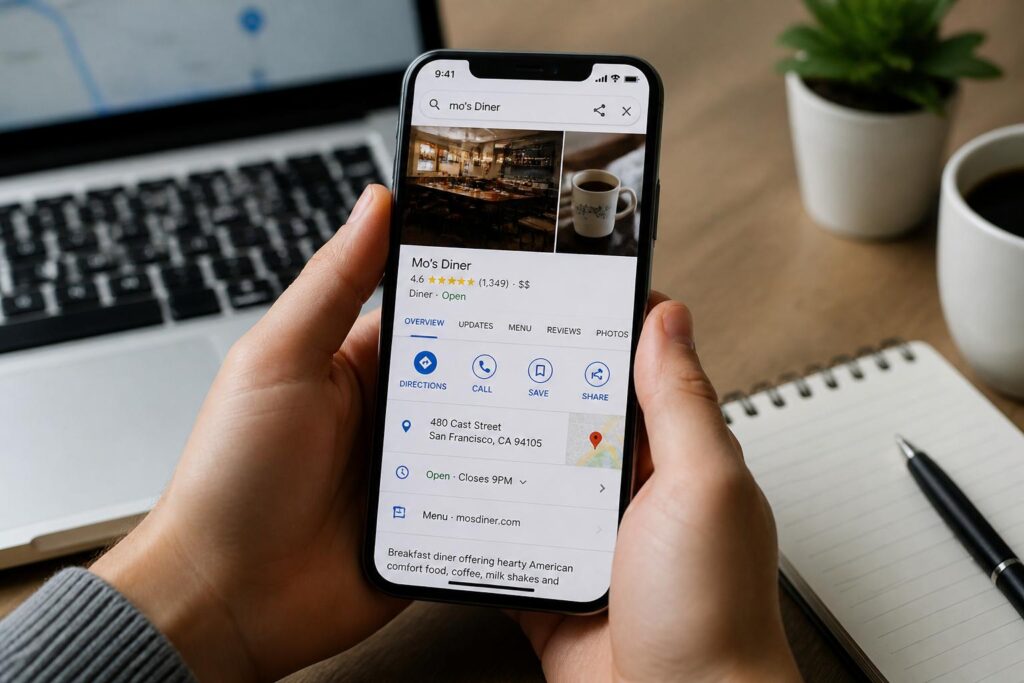
To get your small business to show up on Google Maps, you must claim, verify, and optimise a free Google Business Profile. Google relies on your physical location, business category, profile completeness, and customer reviews to determine whether your business appears when nearby customers search for your services.
Claiming and Verifying Your Google Business Profile
Getting listed begins with establishing your official profile on Google. If your business is already visible as an unverified pin, claim it; otherwise, build a new listing from scratch. Google will ask for your exact street address, primary category, trading hours, and contact details. Verification usually takes place via a quick video recording of your workspace, an automated phone call, or an SMS code.
For service businesses operating across areas in South Africa without a physical walk-in storefront, such as mobile mechanics in Gauteng or electricians in Cape Town, configure your account as a service area business. This hides your residential address while displaying the exact suburbs and municipalities you serve.
Core Factors That Drive Google Maps Rankings
Google determines local ranking through three primary metrics: relevance, distance, and prominence. To rank near the top of local search packs, focus on completing every single data field inside your profile dashboard.
Make sure your profile includes accurate details that match your local operations:
- Select one precise primary category, such as Plumber or Coffee Shop, along with relevant secondary categories.
- List your exact operational hours, including specific holiday hours and updates for public holidays.
- Add a local geographic phone number rather than a generic national line whenever possible.
- Upload authentic, high-resolution photographs of your team, storefront, signage, and completed work.
Optimising On-Page SEO and Local Citations
Your Google Maps ranking does not operate in a vacuum; it connects directly to your website authority and external directory listings. Google cross-references your business name, physical address, and phone number across the web to confirm your legitimacy.
Ensure your company details appear identically across directories like Brabys, Hotfrog, and Yellow Pages South Africa. Aligning your website content with professional search engine optimisation services helps search engines connect your service pages directly to your local map coordinates.
Gathering and Managing Customer Reviews
Consistent, positive customer feedback signals credibility to Google algorithms and builds immediate trust with potential clients. Ask satisfied customers to leave detailed reviews mentioning specific services and locations.
Follow these steps to build a dependable review routine:
- Send a direct review link via WhatsApp or email right after completing a job.
- Respond promptly and politely to every review, whether positive or negative.
- Avoid offering incentives or discounts in exchange for reviews, as this violates Google policies.
Publishing Regular Updates and Photos
Treat your Google Business Profile like an active business noticeboard. Posting weekly updates keeps your profile fresh and shows Google that your business is operating actively.
Useful profile updates include:
- Notices about holiday trading hours, seasonal promotions, or operational adjustments.
- Recent case studies and photos showing completed client installations or projects.
- Announcements introducing new team members or new service offerings.
Partner With Shout Local for Map Visibility
Dominating Google Maps requires continuous management, directory consistency, and ongoing local link building. Shout Local helps regional businesses secure top positions in local map packs to drive real phone calls and foot traffic. Contact our team to review your local visibility and implement a targeted search plan.
Frequently Asked Questions
How much does it cost to list a business on Google Maps?
Creating and managing a Google Business Profile is completely free. Google does not charge any setup fees or recurring subscriptions for appearing on Google Maps.
How long does it take for a business to appear on Google Maps?
Once verified, your listing can appear on Google Maps within a few hours to a few days. However, ranking in the top three results for competitive local searches usually takes a few months of active profile optimisation and review generation.
Can I list my business on Google Maps if I work from home?
Yes. You can register your residential address during verification and configure the listing as a service area business. Google will hide your physical address from the public and display the specific suburbs or cities you cover.
Why is my business not showing up on Google Maps?
Common reasons include an unverified profile, incorrect category selection, suspended listings due to policy violations, or strong local competition with higher profile authority and more reviews.